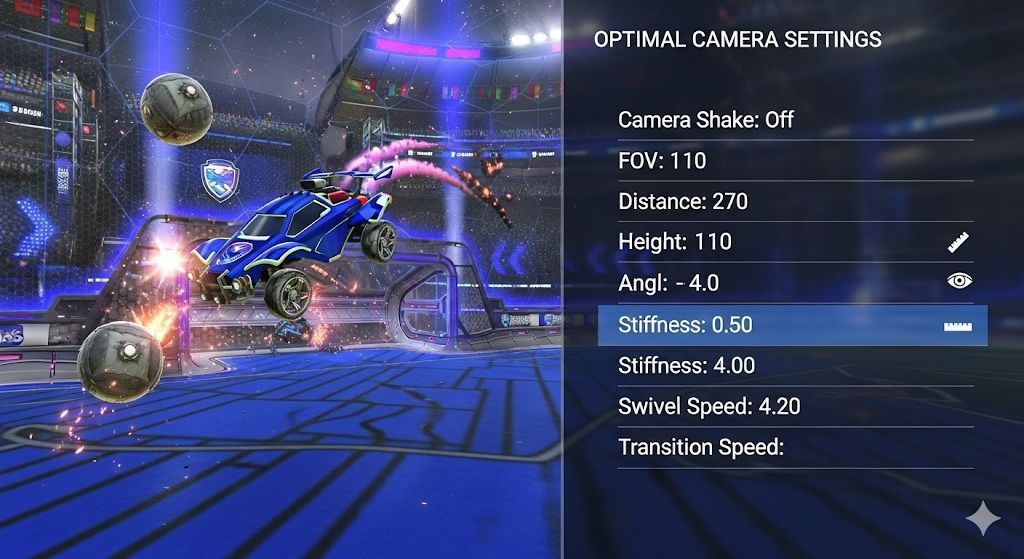
One of the most underrated factors that can drastically impact your performance is your camera settings. Finding the best camera settings in Rocket League is like finding the right brush for your painting; it's drastic and visible. The default camera setup is serviceable for casual play, but if you’re looking to climb the competitive ladder, you need settings that maximize visibility, consistency, and comfort.
How Do I Find The Best Camera Settings For Rocket League?
Every player’s style is unique, but the goal is the same: a clear, consistent view of the ball, the car, and the field. Proper settings let you track plays better, judge distances more accurately, and reduce disorientation in fast-paced situations. It’s about creating conditions where your decision-making and mechanics flow seamlessly.
Why Are Camera Settings important in Rocket League?
Camera settings in Rocket League are the foundation of consistent gameplay. Small tweaks in FOV, distance, or stiffness can completely change how you see and react on the field. Use pro setups as a baseline, then fine-tune until your view feels natural and reliable. Master your camera, and you’ll unlock cleaner mechanics, sharper reads, and the edge needed to climb the ranks. Here are the key Camera Settings in Rocket League you should look out for.
- Field of View (FOV): Determines how much of the field you see. A higher FOV gives more awareness.
- Distance: How far the camera is from your car. Too close feels cramped, too far loses precision.
- Height: Camera’s elevation above your car.
- Angle: Tilt of the camera. Impacts how you see the ball in relation to your car.
- Stiffness: Controls how tightly the camera follows your car’s movements.
- Swivel Speed: Affects how fast the camera reacts when you move the right stick.
- Transition Speed: How quickly the camera changes between ball cam and car cam.
Related: The Rarest Cars in Rocket League: Legends You Can’t Miss
Recommended Competitive Settings
While there’s no single “perfect” setup, most competitive players use variations within certain ranges. Here’s a breakdown:
Preset Name | FOV | Distance | Height | Angle | Stiffness | Swivel Speed | Transition Speed |
|---|---|---|---|---|---|---|---|
Pro Standard | 110 | 270 | 110 | -3 | 0.45 | 5.5 | 1.2 |
Balanced | 110 | 260 | 100 | -4 | 0.50 | 6.0 | 1.3 |
Close Control | 105 | 250 | 100 | -5 | 0.60 | 6.5 | 1.4 |
Camera Settings Used by Pro Players In Rocket League
Many professional Rocket League players share their setups publicly, giving you insight into what works at the highest level. Here are a few popular examples:
Player | FOV | Distance | Height | Angle | Stiffness | Swivel Speed | Transition Speed |
|---|---|---|---|---|---|---|---|
Justin | 110 | 270 | 100 | -4 | 0.45 | 7.0 | 1.5 |
Squishy | 110 | 270 | 110 | -5 | 0.45 | 6.2 | 1.2 |
Jstn | 110 | 270 | 110 | -4 | 0.55 | 6.5 | 1.5 |
Keep Reading: Rocket League Rank and MMR Explained: Climb Smarter
 More in blogs